
Review basis: Research-led; not hands-on. We checked Reolink's current US product pages and support documents, independent comparative testing, and anonymized Q2 purchase patterns from three Reolink storefront campaigns. Purchase data helped us decide which models deserved the most attention; it did not prove quality or determine our verdicts. See our evidence standards.
Are Reolink cameras good?
Yes—Reolink cameras are a good choice when local recording, no required cloud subscription, and the ability to grow from one camera into a Home Hub or NVR matter more than having the simplest lineup. The tradeoff is complexity: similar names can hide different power, recording, network, storage, and compatibility limits.
There is no single best Reolink camera for every home. Our view is that the recording architecture should be chosen before the model. Start with the location, decide whether event clips or 24/7 video are required, choose microSD, Home Hub, or NVR storage, and only then compare resolution and special features.
The E1 is the sensible indoor starting point. The Argus PT Ultra solves outdoor locations where cable runs are impractical. The Video Doorbell WiFi is the focused front-door option. For a wired system, TrackMix PoE is the better tracking camera, while Duo 3 PoE trades vertical coverage and bandwidth efficiency for a wide 180-degree panorama.
Quick verdict: choose the system before the model
Buy Reolink if you value local recording, broad hardware choice, and a practical upgrade path more than a tightly simplified ecosystem. A battery camera is easy to install but usually records events, not continuous video. A plug-in Wi-Fi camera avoids Ethernet but still needs reliable power and wireless coverage. A PoE camera takes more work to wire but is the better foundation for dependable 24/7 coverage.
Choose your Reolink system in 30 seconds
| Situation | Power and network | Recording goal | Storage path | Starting recommendation | Boundary to accept |
|---|---|---|---|---|---|
| One indoor room | Outlet and 2.4 GHz Wi-Fi | Events or continuous video | microSD, Home Hub, or NVR | Reolink E1 | Indoor only; base E1 lacks standalone third-party protocols |
| Outdoor location without cable | Battery/solar and dual-band Wi-Fi | Motion-triggered events | microSD or a compatible hub/recorder | Argus PT Ultra | Battery behavior depends on activity, signal, temperature, and sunlight |
| Front door | Compatible doorbell power and Wi-Fi | Events or continuous video | microSD, Home Hub, NVR, or FTP/NAS | Video Doorbell WiFi | Voltage, chime behavior, framing, and variant must be checked |
| Driveway with moving subjects | PoE or 12V plus Ethernet | Continuous video and tracking | microSD, NVR, or FTP | TrackMix PoE | Larger and more complex than a fixed camera |
| One mounting point for a wide area | PoE and Ethernet | Continuous panoramic coverage | microSD, NVR, or FTP | Duo 3 PoE | High data use and less vertical view than Duo 2 |
| Several always-on cameras | PoE cable routes | Centralized 24/7 recording | Reolink NVR | PoE cameras plus the right NVR | Recorder hardware version and storage must be planned first |
Best Reolink cameras at a glance
| Model | Best for | Power and recording | microSD | Home Hub / NVR | Third-party boundary | Main tradeoff |
|---|---|---|---|---|---|---|
| Reolink E1 | Indoor value | USB-C; 2.4 GHz Wi-Fi; continuous recording supported | Up to 512GB on current hardware | Current Home Hub and compatible NVR; verify older hardware | No standalone RTSP, ONVIF, or FTP; a compatible hub or NVR can expose streams | Indoor only and no 5 GHz Wi-Fi |
| Argus PT Ultra | Solar pan and tilt | Battery/solar; dual-band Wi-Fi; motion-first recording | Up to 512GB | Supported Home Hub hardware; selected current NVRs and firmware | Third-party protocols require a compatible Home Hub or NVR | Not the right default for 24/7 recording |
| Video Doorbell WiFi | Front door | Wired power; dual-band Wi-Fi; continuous recording supported | Up to 256GB | Current Home Hub and compatible Reolink NVR | Current wired model supports recorder, FTP/NAS, and common camera protocols | Power, chime, color, and hardware variant require checking |
| TrackMix PoE | Moving subjects | PoE or 12V; Ethernet; continuous recording supported | Up to 512GB | Current Home Hub and compatible Reolink NVR | RTSP, ONVIF, and FTP paths; enable required ports | More expensive and physically larger than a fixed camera |
| Duo 3 PoE | 180-degree panorama | PoE; Ethernet; continuous recording supported | Up to 512GB | Current Home Hub and compatible Reolink NVR; check channel use | RTSP, ONVIF, and FTP paths; feature parity can vary | Heavy data use and less vertical view than Duo 2 |
| E1 Outdoor SE PoE | Compact PoE pan and tilt | PoE or 12V; Ethernet; continuous recording supported | Up to 512GB | Current Home Hub and compatible Reolink NVR | RTSP, ONVIF, and FTP paths; feature parity can vary | IP65 body is better under a protected mounting position |
Compatibility labels apply to current products checked September 5, 2026. Reolink ties some support to camera UID, hardware version, and firmware. Treat this table as a decision screen, then verify the exact camera and recorder identifiers before buying or expanding an older system.
Our Reolink camera picks
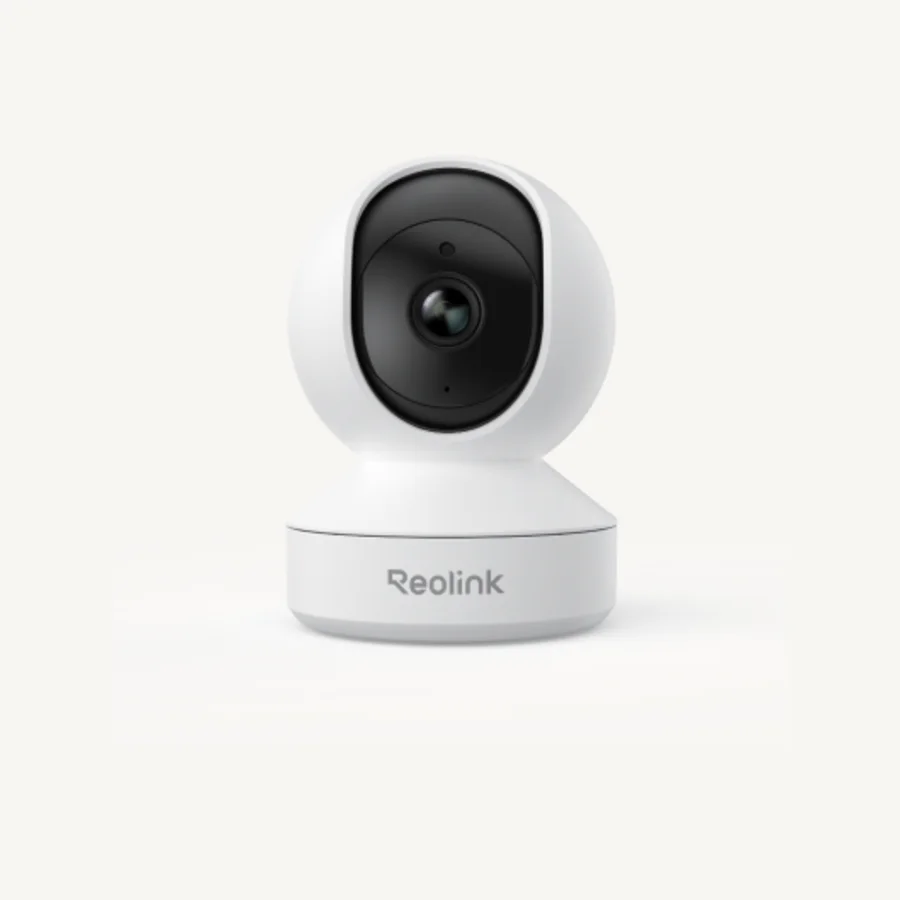
Reolink E1
The E1 is the most sensible entry point for a living room, nursery, pet area, or home office. The current US model records 2560 by 1440 video, pans 355 degrees, tilts 50 degrees, and detects people, pets, and crying sounds. A microSD card up to 512 GB can hold motion clips, scheduled recordings, or continuous video.
It is a plug-in camera even though its network connection is wireless. The current E1 uses 2.4 GHz Wi-Fi only, so buyers with crowded wireless networks may prefer the E1 Pro or E1 Zoom. It is also an indoor camera, not a covered-porch substitute.
Best fit: indoor monitoring, pets, nurseries, and a low-cost first Reolink camera
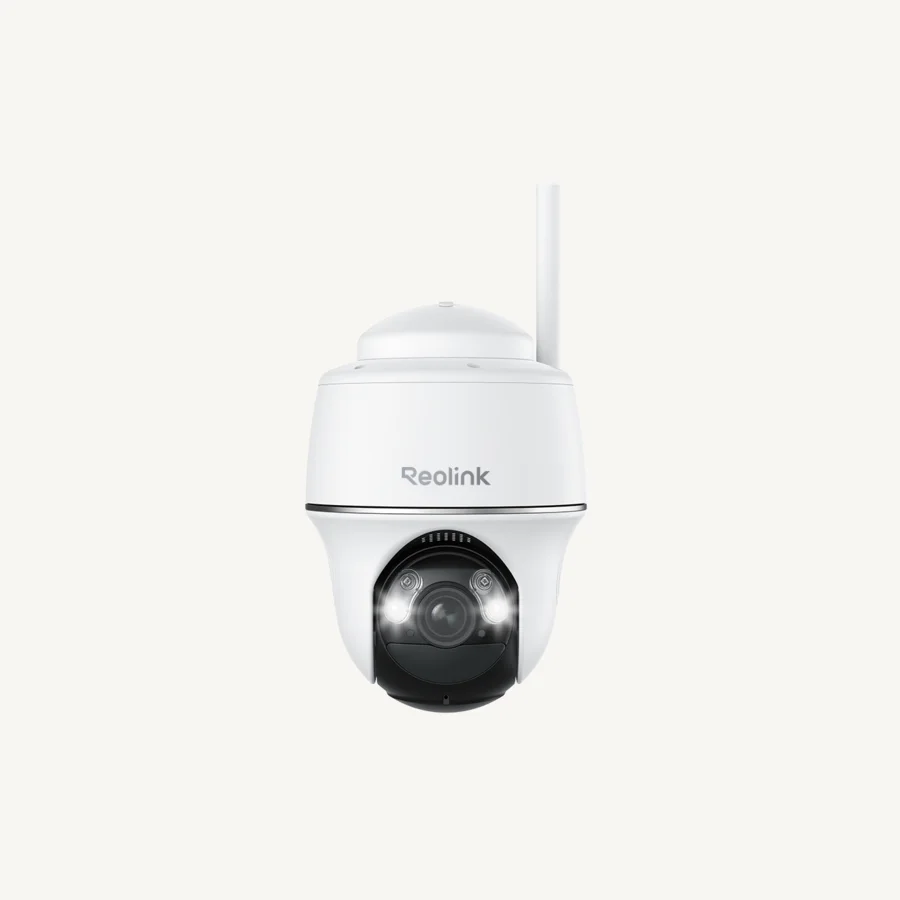
Reolink Argus PT Ultra
The Argus PT Ultra is for yards, side gates, sheds, and detached areas where running Ethernet or power is the main obstacle. It records 4K video at up to 15 fps, pans 355 degrees, tilts 140 degrees, follows movement, and supports both color spotlight and infrared night vision. Dual-band Wi-Fi is useful when 5 GHz is available close to the mounting point.
The important limit is recording behavior. This is a battery camera designed around PIR-triggered events. Solar charging reduces maintenance, but it does not turn the camera into a normal continuous recorder. Activity, temperature, signal quality, live viewing, and shade all affect battery performance.
Best fit: driveways and outdoor areas where wiring is impractical
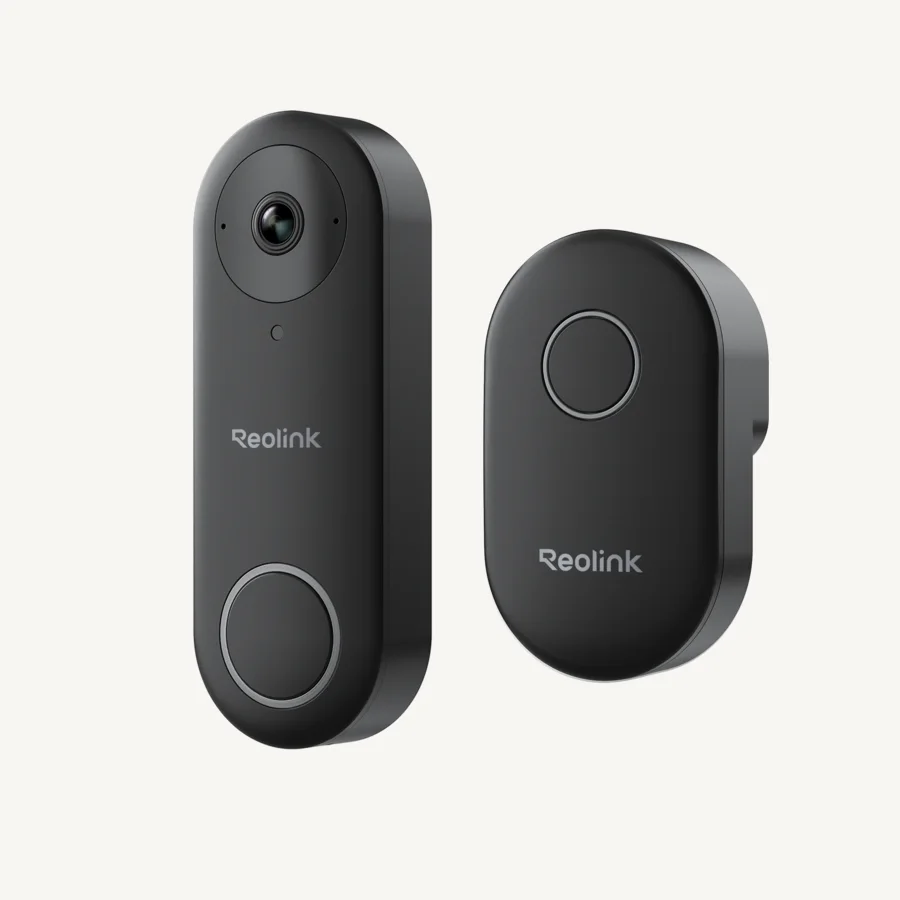
Reolink Video Doorbell WiFi
The wired Video Doorbell WiFi is the focused choice for visitors and packages. The current black model records 2560 by 1920 video at up to 20 fps, connects to 2.4 or 5 GHz Wi-Fi, and supports a microSD card up to 256 GB. Because it has constant power, it can also use continuous recording with compatible storage.
Check the exact color and hardware version before buying. Reolink's black and white doorbell variants differ in framing and some detection features, while chime and existing-wiring compatibility can change by version. For a broader comparison, see our video doorbells without subscription guide.
Best fit: wired front doors where local recording matters
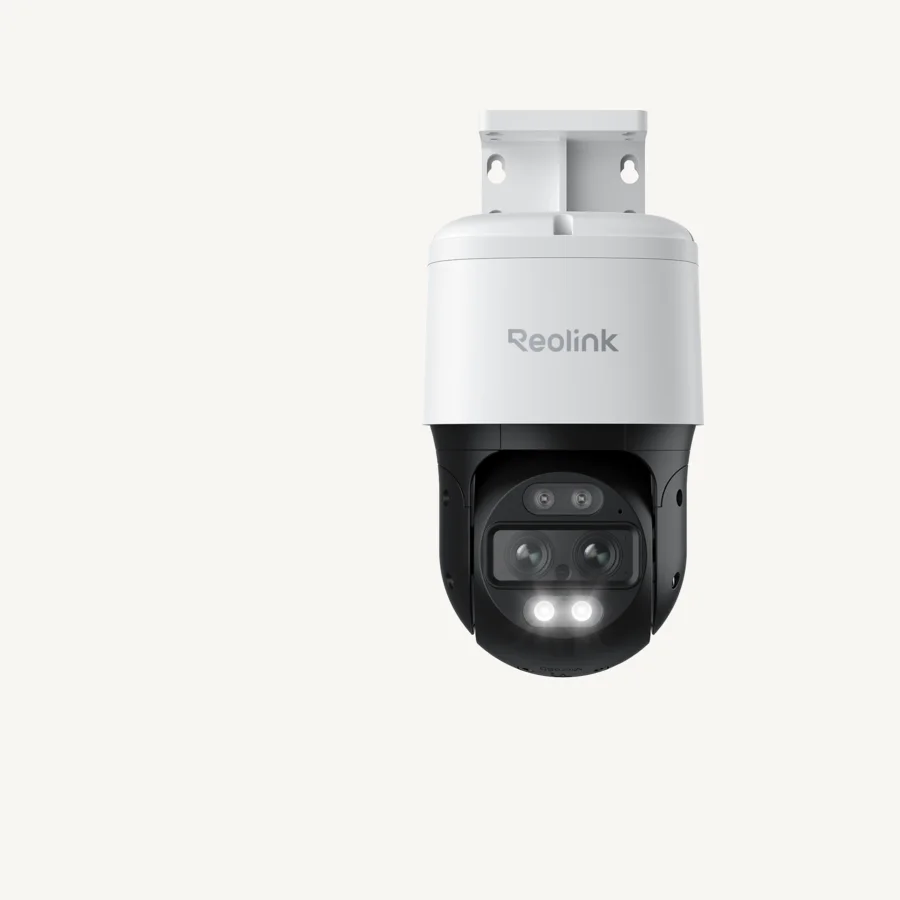
Reolink TrackMix PoE
TrackMix PoE combines a wide-angle lens with a telephoto lens so the app can show an overview and a closer view of a moving subject. It records up to 4K at 25 fps, offers 6x hybrid zoom, pans and tilts to follow movement, and can save to microSD, FTP, or a Reolink NVR.
This is our strongest wired Reolink pick for a driveway, yard, or side entrance where people and vehicles cross a larger scene. Independent comparative testing from The Hook Up praised its dual-view recordings and tracking implementation. The tradeoffs are size, cost, and installation: it needs Ethernet to the mounting point and benefits from careful positioning so the tracking path is not blocked.
Best fit: wired driveways, yards, and moving-subject coverage
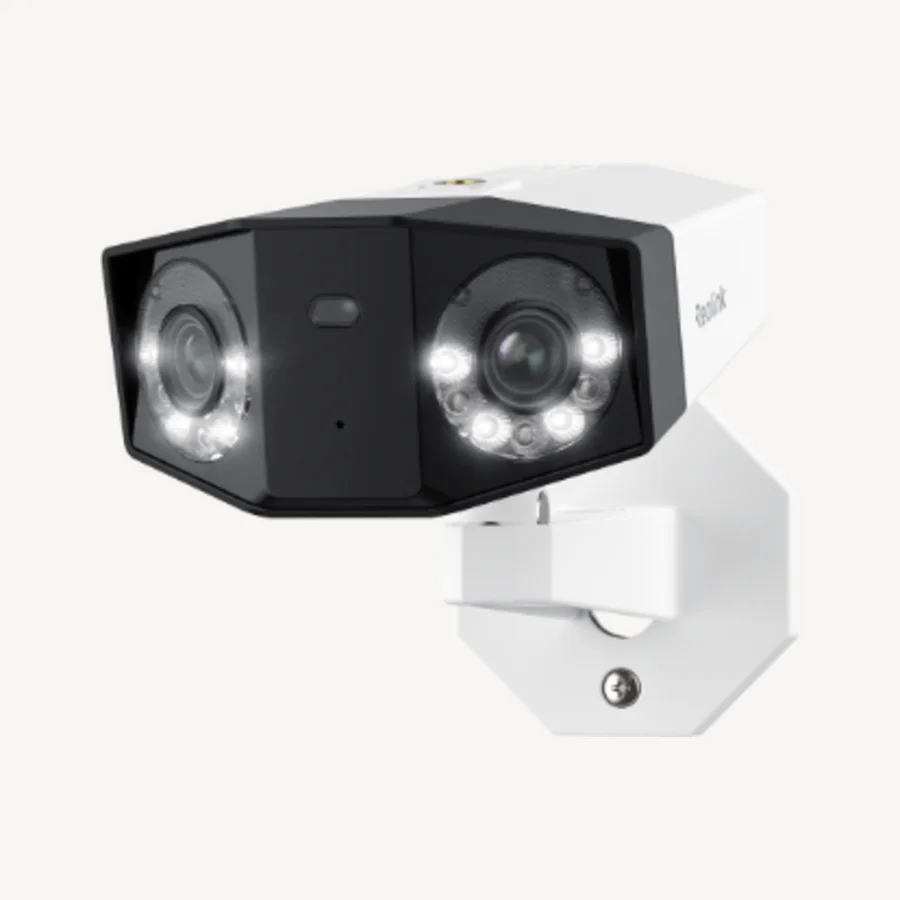
Reolink Duo 3 PoE
Duo 3 PoE stitches two 4K sensors into a 16MP, 180-degree panorama. It can cover a broad driveway, front elevation, or parking area from one cable and one mounting point. Motion Track compresses a moving subject's path into a single summary image, while person, vehicle, and animal detection help filter events.
Do not buy it for the 16MP number alone. In comparative testing, The Hook Up found a narrower vertical field of view than Duo 2, no major day or night clarity advantage, higher bandwidth and file sizes, and some PC live-view lag. Duo 3 makes sense when horizontal coverage is the requirement; TrackMix is better when following a subject and retaining a close view matters more.
Best fit: wide properties that need one 180-degree mounting point
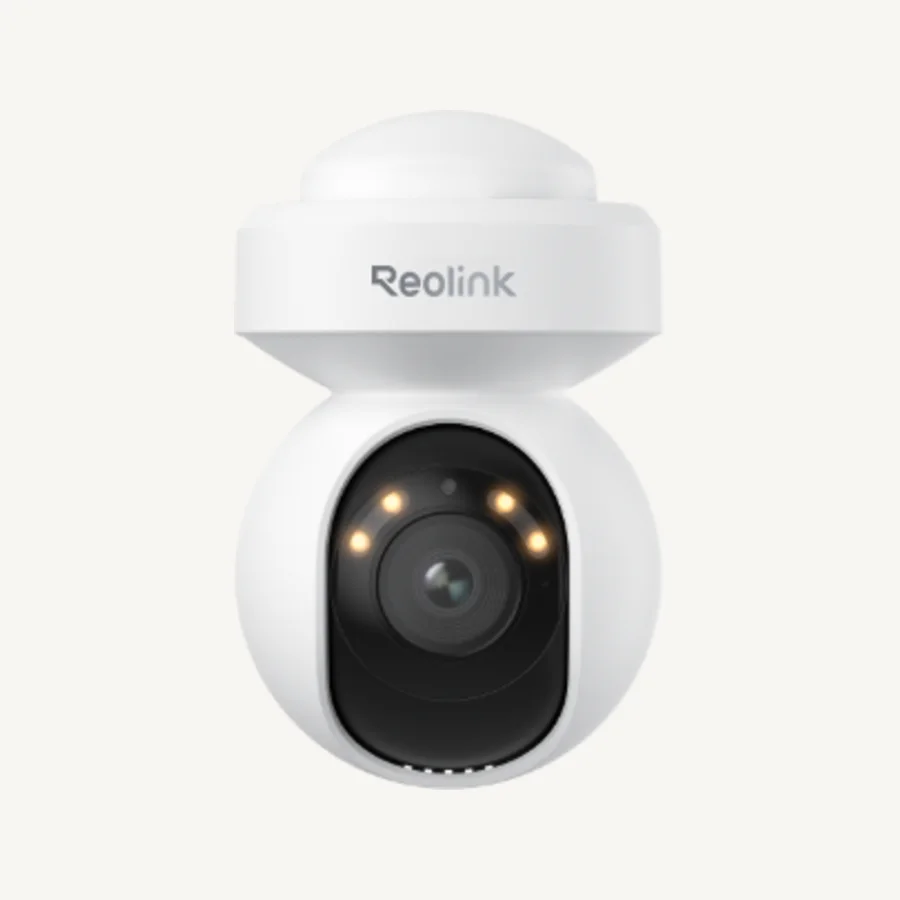
Reolink E1 Outdoor SE PoE
The E1 Outdoor SE PoE is a compact way to add pan, tilt, and auto-tracking to a wired system without stepping up to TrackMix. It records 4K at up to 25 fps, pans 355 degrees, tilts 50 degrees, detects people, vehicles, and animals, and supports microSD, NVR, and FTP recording.
Its IP65 rating is adequate for outdoor use, but the compact housing and exposed moving assembly make a protected eave or overhang the better mounting position. Independent testing also noted the lighter construction. Choose it for size and value, not for the most rugged exposed installation.
Best fit: porches, eaves, garages, and compact wired installations
Battery vs plug-in Wi-Fi vs PoE
Power choice determines more than installation difficulty. It affects whether the camera can record continuously, how quickly live view opens, how much maintenance it needs, and what recorder makes sense.
| Camera type | Choose it when | Recording expectation | Typical Reolink examples |
|---|---|---|---|
| Battery or solar | You cannot run power or Ethernet and can accept periodic charging or solar dependence. | Primarily motion-triggered clips to preserve battery. | Argus PT Ultra |
| Plug-in Wi-Fi | Power is available but Ethernet is not. | Motion or continuous recording, depending on model and storage. | E1, Video Doorbell WiFi |
| PoE | You can run one Ethernet cable and want the most dependable long-term system. | Best fit for continuous recording to microSD or NVR. | TrackMix PoE, Duo 3 PoE, E1 Outdoor SE PoE |
For a new build, renovation, or accessible attic, PoE is usually worth the cable work. One cable handles power and data, and a local NVR keeps high-bitrate recordings off Wi-Fi. For a rental or a detached structure, battery/solar can be the only practical choice, but the convenience comes with event-recording limits.
Local storage and no-subscription use
Reolink's strongest ecosystem feature is the number of local recording paths. Many cameras accept a microSD card, supported models can connect to a Home Hub, and wired cameras can use a Reolink NVR. Core local recording does not require a monthly cloud plan on the models in this guide.
That does not mean every camera stores footage in the same place or supports every feature. A microSD card is simple but stays inside the camera. A Home Hub moves recordings indoors and is the cleaner fit for a small mixed-camera setup. An NVR is the better foundation for several plug-in Wi-Fi or PoE cameras recording around the clock.
Internet access is also separate from recording. A camera may continue saving to local storage during an outage while remote view, push alerts, account services, and optional cloud features remain unavailable. Test outage behavior after installation instead of assuming it works exactly as expected.
Home Hub vs Reolink NVR
Choose a Home Hub for a smaller, battery-heavy system; choose an NVR for more powered cameras, longer retention, or direct PoE wiring. microSD remains the simplest path for one or two cameras, but the footage stays with the camera unless it is copied elsewhere.
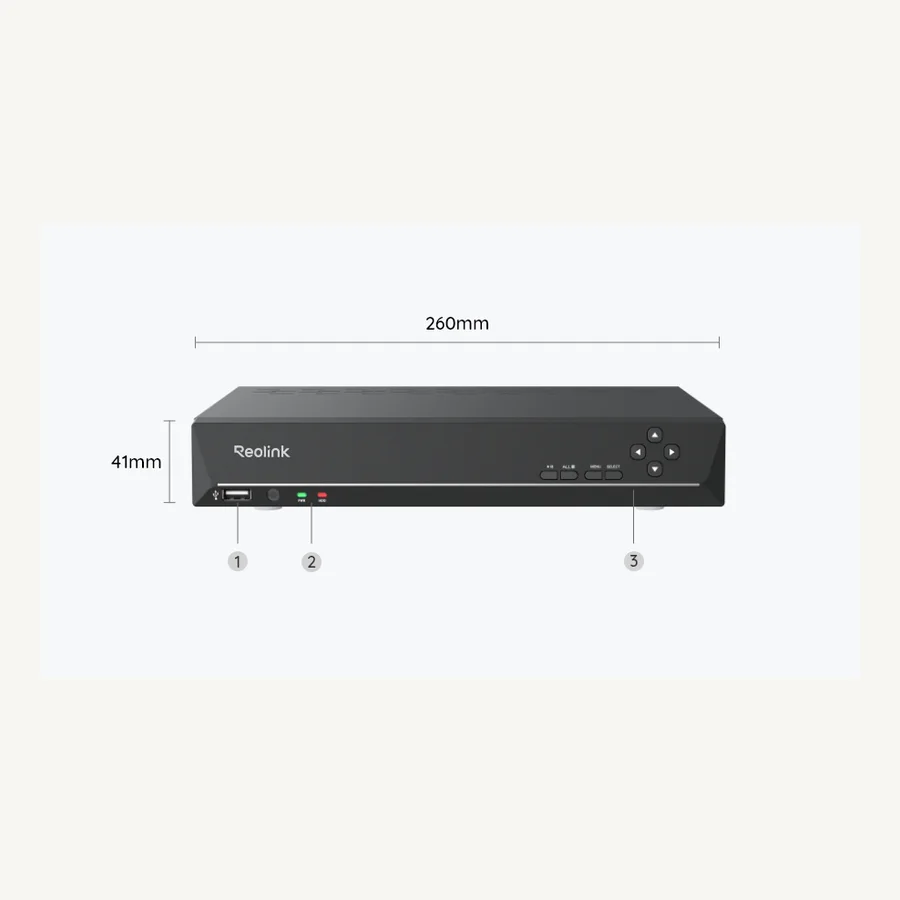
The current RLN8-410 N7MB01 has eight PoE ports and a published maximum of 12 cameras under Reolink's camera-type limits. That does not turn it into a 12-port PoE recorder: the additional capacity is for compatible networked or selected battery cameras. Older RLN8-410 hardware can have lower resolution, storage, and camera-compatibility limits.
RLN16-410 expands the direct-PoE layout, RLN36 removes PoE and bundled storage in exchange for external-switch and three-drive flexibility, and RLN12W adds a direct Wi-Fi 6 path but has a smaller storage ceiling. Our Reolink NVR comparison separates port count, total cameras, included storage, expansion, and hidden hardware costs across all four.
App, smart-home, and third-party compatibility
The Reolink app and desktop client cover live view, playback, notifications, camera settings, and recorder management. The broad lineup makes compatibility the recurring ownership issue: features can vary by camera hardware, firmware, recorder model, and region even when product names look familiar.
Many wired Reolink cameras expose RTSP or ONVIF for systems such as Blue Iris, NAS software, or Home Assistant integrations. Standalone battery cameras generally have tighter third-party limits because they sleep to save power. Reolink says a compatible Home Hub can expand integration options for supported battery models, but the compatibility list should be checked before purchase.
Alexa and Google Assistant support also varies. Treat voice display as a convenience, not the recording backbone. The camera, local storage, and network should still accomplish the security job without depending on a smart speaker.
Reolink setup and troubleshooting guides
Already own the hardware? Use the guide that matches the job instead of factory-resetting a working system or mixing camera, recorder, and doorbell instructions.
Set up a Reolink camera
Connect a new Wi-Fi or PoE camera, add it to a phone, update firmware, and verify recording.
Reset a camera or NVR
Use the correct hardware reset for cameras, doorbells, and recorders without assuming all models share one procedure.
Set up a Reolink NVR
Connect the recorder, initialize storage, add channels, and test local and remote playback.
Install a Reolink doorbell
Choose wired, battery, or PoE steps and remove the doorbell from its bracket safely.
Install Reolink cameras
Plan mounting, power, weather protection, Wi-Fi, solar, and PoE cable routes.
View and share cameras
Use PC Client, add another phone, and share family access with appropriate permissions.
Understand Reolink FTP
Compare FTP with microSD, Home Hub, NVR, and cloud storage, then configure uploads.
Reolink company and support
Find evidence-bounded answers about the brand, subscriptions, retailers, and customer service.
What Reolink gets wrong
- The lineup is hard to decode. Similar names can hide different resolution, Wi-Fi bands, power requirements, frame rates, and storage support.
- Hardware version matters. Recorder and camera compatibility can change across revisions, so an old review may describe hardware that is no longer current.
- Battery and wired models should not be compared as equals. A solar camera wins on installation but usually loses on pre-roll, continuous recording, and immediate access.
- Resolution does not guarantee identification. Night movement, shutter speed, lighting, subject distance, lens choice, and compression can matter more than the megapixel number.
- Local storage still needs a backup plan. A microSD card can disappear with a stolen camera, while an NVR can fail without drive monitoring or exported evidence.
- Firmware and app changes can alter behavior. Confirm current release notes and test notifications, playback, and outage behavior during the return window.
How we chose these Reolink cameras
We started with the questions behind the search term "Reolink camera review": whether the brand is good, which model fits a location, whether local recording works without a subscription, and when a buyer should choose battery, Wi-Fi, Home Hub, PoE, or NVR.
We then checked current US product pages and Reolink support documents for power, resolution, storage, recording mode, weather rating, and compatibility. Independent comparative testing was used where it could reveal tradeoffs that a spec sheet cannot, especially for TrackMix PoE, Duo 3 PoE, and E1 Outdoor SE PoE.
Finally, we reviewed anonymized purchase patterns from three Q2 storefront campaigns. E1-family indoor cameras, Argus PT Ultra solar packages, doorbells, and wired panoramic/tracking cameras appeared repeatedly, so those paths received detailed coverage. Accessories and memory cards were common purchases too, which reinforced the need to explain complete-system cost. Sales frequency did not override installation fit or independent evidence.
Frequently asked questions
Are Reolink cameras good?
Reolink cameras are a good fit when local recording, no required cloud plan, and a path from one camera to a Home Hub or NVR matter more than having the simplest possible lineup. The main caution is that power, recording, and compatibility differ substantially by model.
Do Reolink cameras require a subscription?
The Reolink models in this guide can use local recording without a required monthly cloud subscription. Optional cloud availability and features vary by model and region, so check the exact camera before buying.
Can Reolink cameras record without internet?
A supported Reolink camera can continue saving footage to its microSD card, Home Hub, or NVR during an internet outage if the camera and recorder still have power and a working local connection. Remote viewing and push alerts normally require internet access.
Which Reolink cameras support 24/7 recording?
Plug-in Wi-Fi and PoE models such as the E1, Video Doorbell WiFi, TrackMix PoE, Duo 3 PoE, and E1 Outdoor SE PoE can support continuous recording to compatible storage. Most Reolink battery cameras, including the Argus PT Ultra, are designed primarily for motion-triggered recording.
Should I use a Reolink Home Hub or NVR?
Choose a Home Hub for a smaller mixed setup, especially when supported battery cameras are involved. Choose an NVR for a larger plug-in Wi-Fi or PoE system where centralized storage and continuous recording are priorities.
Do Reolink cameras work with third-party software?
Many wired Reolink cameras support protocols such as RTSP and ONVIF, but support is model-specific. Standalone battery cameras generally have more third-party limitations, although a compatible Home Hub can expand integration options for some models.
Which Reolink camera is best for a driveway?
Choose the TrackMix PoE when reliable wiring and subject tracking matter, the Duo 3 PoE when one mounting point needs a 180-degree panorama, or the Argus PT Ultra when running power or Ethernet is impractical and motion-triggered solar recording is acceptable.
- Current product details: E1, Argus PT Ultra, Video Doorbell WiFi, TrackMix PoE, Duo 3 PoE, E1 Outdoor SE PoE, and RLN8-410.
- Recording architecture: Reolink support on continuous recording, Home Hub versus NVR, and Home Hub compatibility.
- Storage and protocols: Reolink's current microSD capacity table, CGI, RTSP, and ONVIF guide, and third-party software guide.
- NVR compatibility: Reolink's NVR hardware-version guide and camera compatibility guide.
- Independent comparison: The Hook Up's wired Reolink camera testing and tier list.
- Images: current Reolink product pages and the manufacturer's Press & Media library.
Specifications, bundles, firmware behavior, and compatibility can change. Confirm the exact US model and hardware version before buying.
Final recommendation
For one room, buy the E1. For a solar outdoor location, choose Argus PT Ultra. For a wired front door, choose Video Doorbell WiFi. For a serious PoE system, start with TrackMix PoE and add Duo 3 PoE only where a 180-degree view solves a real coverage problem.
Continue the security-camera guide
Reolink NVR ComparisonCompare RLN8-410, RLN16-410, RLN36, and RLN12W by topology, storage, and compatibility.
 Security Cameras with Local StorageCompare microSD, hub, NVR, and no-monthly-fee systems across brands.
 Security Cameras for Remote PropertyCompare Reolink cellular cameras with hybrid and Wi-Fi alternatives.