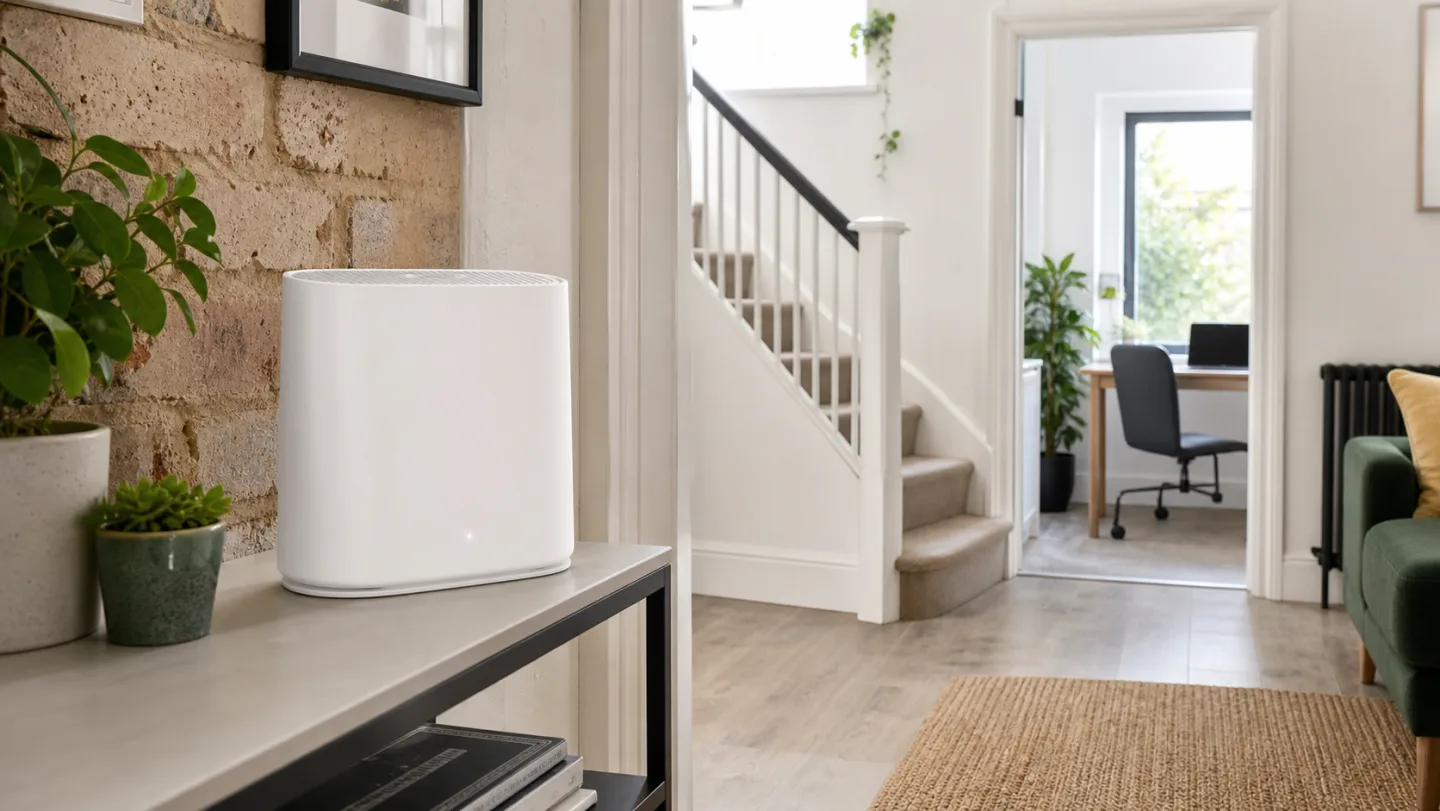
The TP-Link Archer BE550 is our current standalone pick for a small or medium UK home where one centrally placed router can provide reliable coverage. It combines tri-band Wi-Fi 7 with five 2.5GbE ports, making it more balanced than budget Wi-Fi 7 models that omit the 6 GHz band or keep mostly Gigabit Ethernet.
If the home has several floors, thick masonry walls, or dead zones that one router cannot reach, start with a mesh system instead. The TP-Link Deco X50 2-pack is our value mesh pick; the Deco BE68 is the premium option for multi-gigabit connections and newer Wi-Fi 7 devices. Networks that need two 10Gbps-class connections and two 2.5Gbps ports at each node should also read our Deco BE85 review.
Our UK Wi-Fi router picks at a glance
| Pick | Best for | Type | Why it stands out | Main tradeoff |
|---|---|---|---|---|
| TP-Link Archer BE550 | Most standalone-router buyers | Tri-band Wi-Fi 7 | 6 GHz plus five 2.5GbE ports | One placement point |
| ASUS RT-AX59U | Budget standalone setup | Dual-band Wi-Fi 6 | Flexible software and subscription-free security | No multi-gigabit ports or 6 GHz |
| TP-Link Deco X50 | Value mesh coverage | Dual-band Wi-Fi 6 mesh | Simple two-node setup and optional Ethernet backhaul | Shared 5 GHz wireless backhaul |
| Amazon eero 6+ | Simple app-led mesh | Dual-band Wi-Fi 6 mesh | Compact hardware and straightforward management | Only two ports; subscription-gated extras |
| TP-Link Deco BE68 | Premium Wi-Fi 7 mesh | Tri-band Wi-Fi 7 mesh | 6 GHz, MLO, 10GbE and stronger backhaul options | Unnecessary for many sub-gigabit homes |
Decide what problem you are solving first
UK compatibility note: These products are routers or mesh systems, not VDSL or cable modems. You may need to keep the ISP hub, use access-point mode, or put supported Virgin Media hubs into modem mode. BT Digital Voice, Sky authentication, provider VLANs, and Hub 5x behaviour can affect the exact setup.
TP-Link Archer BE550
Official UK specsIndependent measurementsCurrent UK retail listingThe Archer BE550 is the most complete mainstream standalone option in this group. TP-Link lists tri-band BE9300 Wi-Fi 7, including 6 GHz, MLO and 320 MHz channel support, plus one 2.5GbE WAN port and four 2.5GbE LAN ports. That wired layout matters for fast fibre, a NAS, wired access points, and desktops.
Expert Reviews currently names it its best overall wireless router and measured it against other routers in a repeatable domestic setup. We are using that independent comparison as supporting evidence rather than claiming those measurements as our own.
Best fit: a small or medium home with a central router position, modern client devices, or a gigabit-class network.
Skip it when: the existing problem is coverage across several floors. One high-spec router cannot guarantee a signal through every wall.
ASUS RT-AX59U
Official UK specsIndependent measurementsThe RT-AX59U is the sensible counterpoint to buying Wi-Fi 7 by default. ASUS lists dual-band AX4200 Wi-Fi 6, AiMesh expansion, VPN tools, parental controls, and AiProtection Pro without a separate network-security subscription. It suits households that value configuration options and support more than a 6 GHz radio.
Its limits are clear: Gigabit Ethernet caps the wired path, and there is no 6 GHz band. Those are acceptable compromises for many UK broadband plans, but less attractive for multi-gigabit service or frequent local file transfers.
Best fit: a flat or smaller house on a sub-gigabit plan where one router already reaches the important rooms.
Skip it when: you need several placement points or want a fully multi-gigabit wired network.
TP-Link Deco X50 (2-pack)
Official UK specsIndependent measurementsTestedHarbor product reviewThe Deco X50 replaces one difficult coverage point with two. TP-Link lists AX3000 dual-band Wi-Fi 6, three Gigabit ports per unit on the reviewed UK version, app-guided setup, HomeShield features, and optional Ethernet backhaul. A wired link between nodes removes the shared-radio backhaul penalty and is particularly useful in multi-storey or masonry homes.
Without Ethernet, the 5 GHz radio serves both clients and inter-node traffic. That makes placement more important than the advertised combined link rate. Put the second node where it still receives a strong signal, not in the room where Wi-Fi has already disappeared.
Best fit: typical two-storey homes that need two useful placement points without paying for premium Wi-Fi 7 hardware.
Skip it when: you need multi-gigabit ports, a 6 GHz backhaul option, or only have a small flat that one router can already cover.
Amazon eero 6+
Official UK specsIndependent measurementsThe eero 6+ is designed for buyers who want the network to remain simple after installation. It is a compact dual-band Wi-Fi 6 mesh system managed through the eero app, and independent reviewers consistently highlight the setup experience as one of its strengths.
Simplicity also creates limits. Each unit has only two auto-sensing Gigabit Ethernet ports, and several security, filtering, and network-insight features require eero Plus. Compare the ongoing subscription with the features included by ASUS or TP-Link before buying.
Best fit: households that prioritise a polished app and low-maintenance mesh over advanced local controls.
Skip it when: you need several wired devices per node, local web administration, or subscription-free advanced controls.
TP-Link Deco BE68
Official UK specsIndependent hands-on sourceTestedHarbor product reviewThe Deco BE68 is the performance option for homes that can use more than Gigabit Ethernet and have newer Wi-Fi 7 clients. TP-Link lists tri-band BE14000 Wi-Fi 7, a 10GbE port, a 2.5GbE port, a Gigabit port, MLO, 320 MHz channels, and combined wired and wireless backhaul.
The cost is difficult to justify for ordinary streaming and browsing on a sub-gigabit plan. Independent testing also reinforces a basic radio limitation: 6 GHz can be very fast near a node but loses strength quickly through distance and walls. Good node placement or wired backhaul still matters.
Best fit: multi-gigabit fibre, fast local storage, many demanding devices, and buyers keeping the system through the Wi-Fi 7 transition.
Skip it when: the household uses sub-gigabit broadband, owns few Wi-Fi 7 devices, or can solve the problem with a less expensive Wi-Fi 6 mesh.
Router or mesh: which should you buy?
| Home situation | Start with | Why |
|---|---|---|
| Flat or compact one-floor home | One standalone router | Lower cost, fewer radios competing, and simpler management |
| Two floors with one weak room | Two-node mesh | A second well-positioned node can reach around floors and layout obstacles |
| Three floors or long extension | Two or three mesh nodes | More placement points; prefer Ethernet backhaul where possible |
| Thick stone or brick walls | Mesh with wired or powerline backhaul | Another wireless band alone does not defeat heavy construction |
| Fast NAS or desktop transfers | Multi-gigabit router or mesh | Check every port in the path, not only the Wi-Fi class |
Using your own router with a UK broadband provider
BT, EE, Plusnet, and other Openreach services
On FTTP, the provider's optical network terminal normally presents Ethernet, but the replacement router may still need PPPoE credentials or provider-specific settings. Keeping the ISP router and running the new system in access-point mode is the lower-risk option when Digital Voice or support access must keep working.
Virgin Media
Virgin Media documents modem mode for several Hub models, allowing a third-party router to handle routing and Wi-Fi. Availability and behaviour can differ on newer hardware, including Hub 5x deployments, so confirm the exact hub before purchasing around this setup.
Sky
Sky replacement-router setup can depend on the access network and authentication method. Access-point mode behind the Sky hub is usually simpler than replacing the routing layer, though it leaves the ISP box in the network.
If the current ISP hub is stable and only one part of the home has weak coverage, replacing the entire routing layer may be unnecessary. A correctly placed access point or mesh system in access-point mode can fix coverage while preserving provider-specific functions.
Wi-Fi 6 or Wi-Fi 7?
Wi-Fi 7 adds features including Multi-Link Operation, 320 MHz channels on 6 GHz, and higher modulation. Those features need compatible client devices, suitable regional channels, and a fast enough wired or internet path to show their full value.
Wi-Fi 6 remains a rational purchase for sub-gigabit broadband, ordinary streaming, video calls, and smart-home devices. Spend first on the correct number of nodes, usable backhaul, and router placement. A well-positioned Wi-Fi 6 system can outperform a premium Wi-Fi 7 router placed in a cupboard at one end of the house.
Key specifications and ownership tradeoffs
| Model | Bands | Wired connectivity | Expansion | Ownership note |
|---|---|---|---|---|
| Archer BE550 | 2.4, 5, and 6 GHz | 1x 2.5GbE WAN; 4x 2.5GbE LAN | EasyMesh | Some HomeShield features may require a plan |
| ASUS RT-AX59U | 2.4 and 5 GHz | Gigabit WAN and LAN; two USB ports | AiMesh | AiProtection Pro is listed as subscription-free |
| Deco X50 | 2.4 and 5 GHz | 3x Gigabit per unit on reviewed UK version | Deco mesh; Ethernet backhaul | Check hardware version and HomeShield plan features |
| eero 6+ | 2.4 and 5 GHz | 2x Gigabit per unit | eero mesh | Several advanced features require eero Plus |
| Deco BE68 | 2.4, 5, and 6 GHz | 10GbE, 2.5GbE, and Gigabit per unit | Deco mesh; combined backhaul | Verify UK hardware and current HomeShield terms |
Frequently asked questions
What is the best Wi-Fi router for most UK homes?
For a small or medium home that can be covered from one central position, the TP-Link Archer BE550 is our current research-led standalone pick. For a multi-storey home or persistent dead zones, the TP-Link Deco X50 2-pack is usually the more practical starting point.
Can I replace a BT, Sky, or Virgin Media router?
Usually, but the setup differs. A third-party system can often run in access-point mode behind the ISP hub. Virgin Media supports modem mode on several hubs, while replacing BT or Sky routing can require provider-specific credentials, VLAN settings, or keeping the ISP hub for voice services.
Is mesh Wi-Fi better than one powerful router?
Mesh is normally better for several floors, long layouts, detached workspaces, or rooms behind thick walls because it creates more placement points. A single router is simpler and often faster for a compact home when it can be positioned centrally.
Is Wi-Fi 7 worth buying in the UK?
Wi-Fi 7 is most useful with compatible phones or laptops, gigabit or multi-gigabit broadband, fast local transfers, and a plan to keep the router for several years. Wi-Fi 6 remains sufficient for many households on sub-gigabit plans.
How many mesh nodes does a UK home need?
Start with two nodes for a typical two-storey home and add a third only when the layout, walls, or a detached room requires another placement point. More nodes are not automatically better and can increase interference if placed too close together.
Will a new router make my broadband faster?
A new router cannot make the internet connection faster than the broadband plan. It can improve local Wi-Fi throughput, coverage, latency, and consistency when the ISP router or its placement is the bottleneck.
How we researched and selected these routers
We reviewed current UK search results and buying guides from Which?, Expert Reviews, TechRadar, and UK broadband publications, then compared their decision criteria with US testing-led guides from RTINGS, Tom's Guide, Tom's Hardware, WIRED, and BroadbandNow. US pages informed the evaluation structure; UK availability and support determined the product list.
We did not reproduce another publisher's ranking or measurements. Each recommendation had to have a current regional product or support page, a clear household use case, and independent evidence beyond a retailer description. The order reflects use-case fit, current UK relevance, connectivity, support, and ownership tradeoffs. It does not include commission rate or a hidden percentage score.
Primary product sources
- TP-Link UK: Archer BE550 specifications
- ASUS UK: RT-AX59U specifications
- TP-Link UK: Deco X50 specifications
- eero UK: eero 6+ product and support information
- TP-Link UK: Deco BE68 specifications
- Virgin Media: Hub modem-mode guidance
Independent evidence checked
Continue comparing home Wi-Fi systems
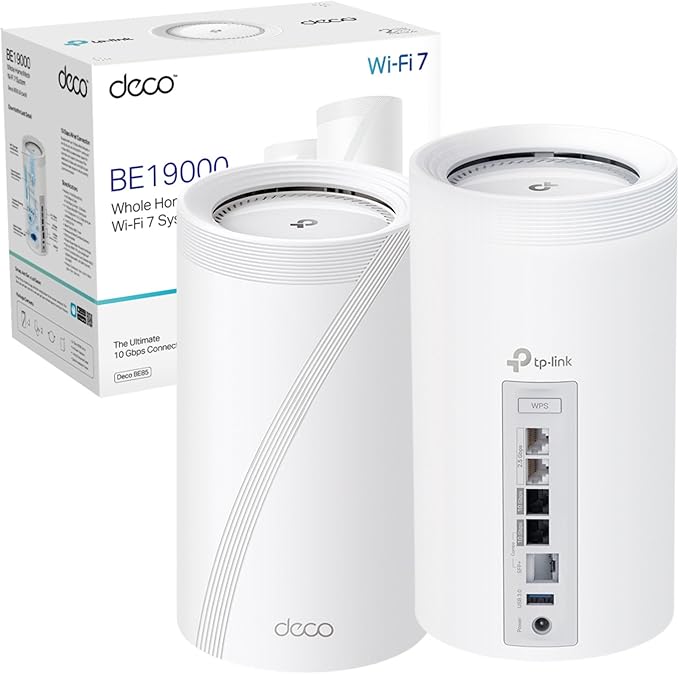 TP-Link Deco BE85 reviewUK hardware versions, multi-gig ports, independent tests, and who needs the upgrade.
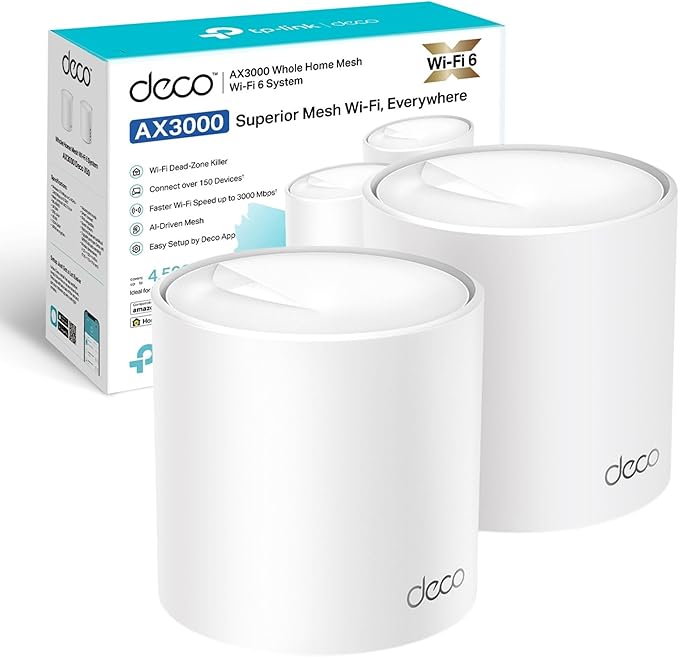 TP-Link Deco X50 reviewCoverage, shared backhaul, setup, and UK ISP considerations.
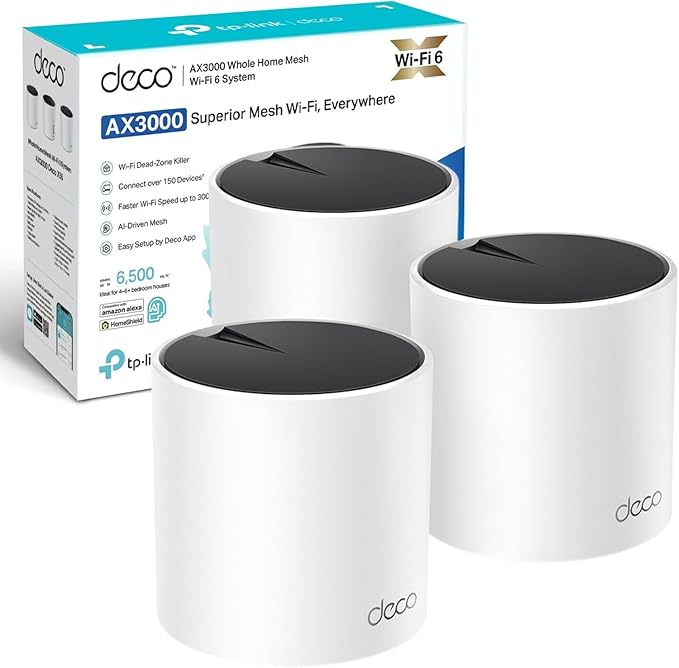 TP-Link Deco X55 reviewWhen a three-pack is more useful than paying for a newer Wi-Fi standard.
Deco BE85 vs BE68Ports, backhaul, Wi-Fi 7 capacity, and who should pay for the upgrade.
TP-Link Deco X55 reviewWhen a three-pack is more useful than paying for a newer Wi-Fi standard.
Deco BE85 vs BE68Ports, backhaul, Wi-Fi 7 capacity, and who should pay for the upgrade.